
Gadget Fix Tips You Can Try at Home
Modern gadgets have become indispensable companions in daily life. Smartphones, tablets, laptops, and headphones are no longer luxuries, they are integral tools for work, entertainment, and communication. Yet even the most reliable devices falter. Cracked screens, sluggish performance, or charging issues often disrupt routines. While professional technicians are valuable, there are numerous gadget repair tips that anyone can try at home with patience and caution.
Understanding the Basics Before Repair
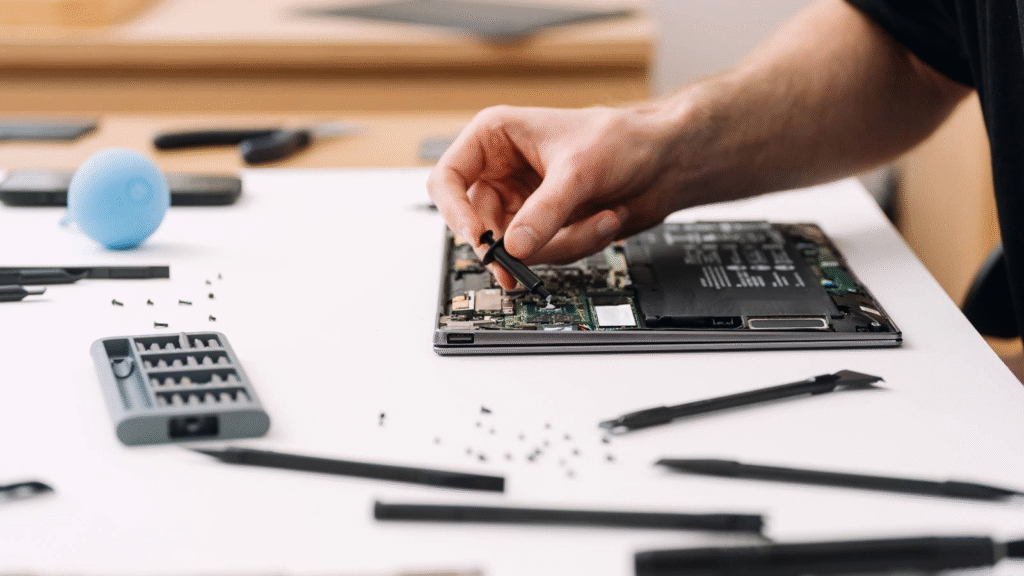
Before attempting to fix devices at home, a few preliminary steps are crucial. Always power down the device completely, disconnect it from any power source, and if possible, remove the battery. Keeping a clean, well-lit workspace helps prevent mistakes and minimizes the risk of losing small components.
It is also wise to have basic tools on hand: a precision screwdriver set, tweezers, adhesive strips, and a soft microfiber cloth. With these essentials, many simple gadget fixes become manageable without specialized equipment.
Common Issues and Their Solutions
1. Battery and Charging Problems
One of the most frequent frustrations is a device that refuses to charge properly. Sometimes the culprit is not the battery itself but debris inside the charging port. Lint and dust can block connections. Using a wooden toothpick or a burst of compressed air often restores functionality. If charging remains inconsistent, replacing a worn-out cable may resolve the problem.
When battery life declines rapidly, calibration can help. Fully charge the device, let it drain completely, and recharge it again without interruption. This recalibration allows the system to reset its battery measurement, a straightforward example of diy repair tricks that extends usability.
2. Slow Performance
Over time, phones and laptops accumulate unused files and background processes that consume memory. Clearing caches, uninstalling unnecessary applications, and performing regular updates often revive speed. For laptops, adding more RAM or replacing a hard drive with a solid-state drive significantly improves performance. These steps require little technical expertise yet deliver noticeable results.
3. Screen Glitches and Cracks
A cracked screen may seem intimidating, but replacement kits are widely available. With patience, a heat gun or hairdryer to loosen adhesive, and careful handling, many users can successfully install a new screen. For smaller scratches, toothpaste or baking soda paste gently applied with a microfiber cloth can reduce visibility. While not perfect, these simple gadget fixes improve appearance until a full replacement is possible.
4. Audio Issues
Distorted or silent audio can stem from blocked speaker grills or headphone jacks. Dust and grime often accumulate unnoticed. A soft brush or compressed air clears obstructions effectively. If headphones produce sound in only one ear, gently bending the cable near the jack sometimes identifies a loose connection. In such cases, replacing the cable or re-soldering the joint restores functionality.
5. Overheating Devices
Devices that overheat frequently risk permanent damage. Cleaning out internal dust with compressed air allows fans and vents to function properly. For laptops, using a cooling pad provides additional airflow. Avoiding use on soft surfaces like beds or couches also prevents overheating by ensuring ventilation. These straightforward measures fall under gadget repair tips that prolong device health.
DIY Repair Tricks That Save Money
The appeal of diy repair tricks is twofold. They save money and foster self-reliance. Instead of replacing an entire gadget, replacing a single faulty component often costs a fraction of the price. For instance, swapping out a laptop keyboard or phone battery is far less expensive than purchasing a new device.
Repair also encourages sustainability. Every device saved from disposal reduces electronic waste. By learning how to fix devices at home, individuals contribute to environmental responsibility while gaining practical knowledge.
Safety Considerations
While many issues can be addressed at home, caution is essential. Attempting repairs without care can cause further damage or pose safety risks. Lithium-ion batteries, for example, must never be punctured, as they can ignite. If a repair seems beyond personal ability, consulting a professional remains the safest choice.
Reading user manuals and consulting credible online tutorials ensures a clear understanding of each step. Patience, not speed, is the most valuable tool in successful repair.
Building Confidence Through Practice
At first, handling delicate components may feel intimidating. Yet with each attempt, confidence grows. Replacing a battery, cleaning a charging port, or adjusting loose hinges demonstrates how approachable many repairs truly are. These experiences foster a sense of empowerment, showing that technology is not impenetrable but manageable with the right guidance.
Gadgets enhance modern life, but they are not immune to wear and malfunction. By exploring gadget repair tips, anyone can discover effective ways to restore performance. With a few tools, some patience, and a willingness to learn, it is possible to tackle simple gadget fixes that once seemed out of reach.
The practice of diy repair tricks not only saves money but also extends the lifespan of devices, reducing waste and promoting sustainability. By choosing to fix devices at home, individuals transform everyday frustrations into opportunities for resourcefulness. Success lies not in perfection, but in the willingness to engage with the technology we depend upon and restore it to life.


